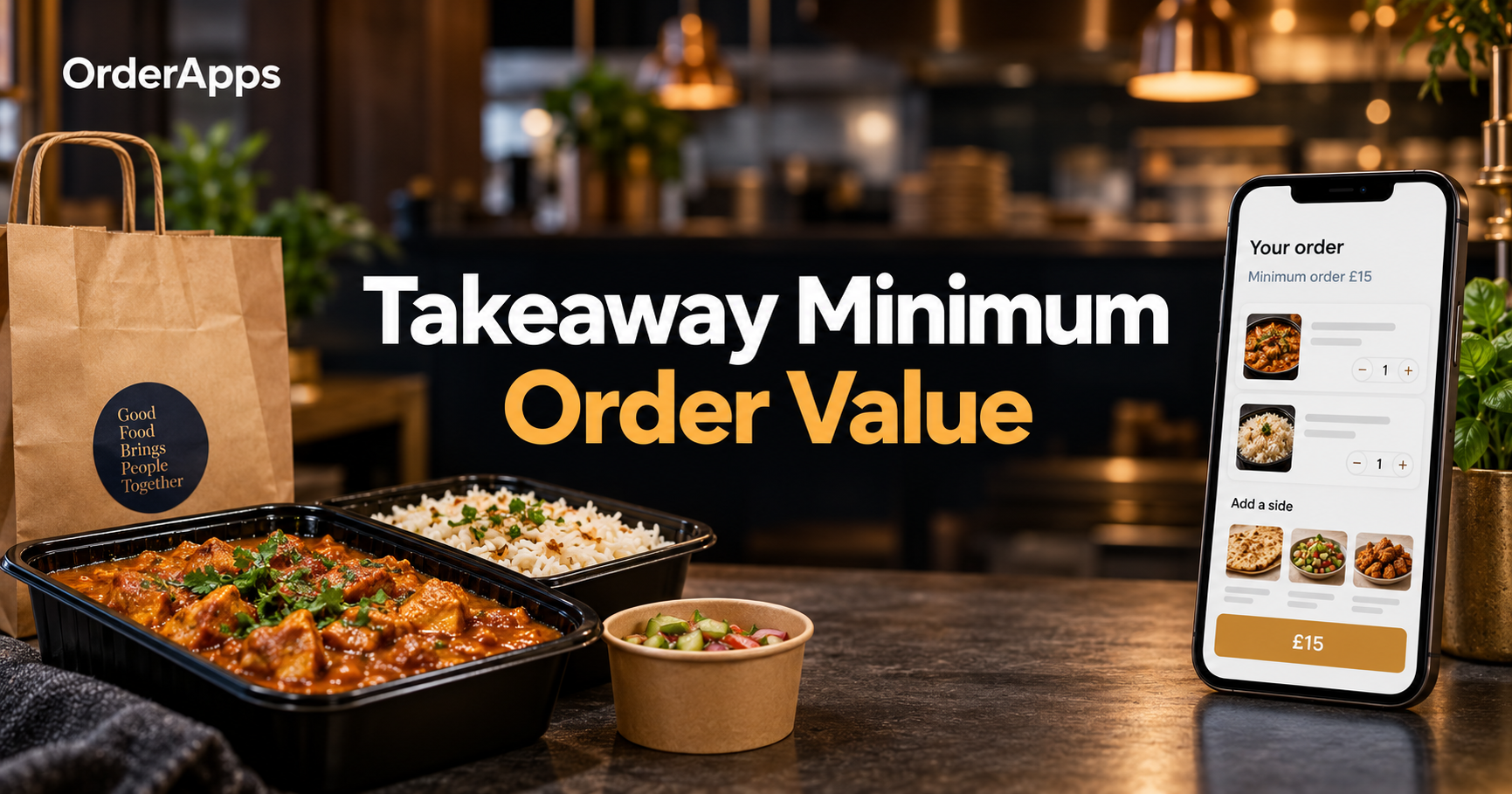
Your takeaway minimum order value should help each delivery cover its costs while leaving a contribution towards overheads and profit. Calculate that threshold using your actual menu margins, delivery costs and delivery fee, then test whether customers accept the result.
Picture a customer choosing dinner on their phone. Their basket contains a main, rice and a drink.
They select delivery, but their basket sits £2 below your minimum. What happens next depends on your pricing and communication.
A clear message can help them choose an extra item or switch to collection. An unexpected restriction can interrupt their order.
This guide helps UK takeaway owners set a practical threshold. You will follow a worked calculation, compare delivery options and plan your checkout messages.
The examples use stated assumptions. Replace them with your own figures before changing your ordering rules.
What Is a Takeaway Minimum Order Value?
A takeaway minimum order value is the qualifying basket amount customers must reach before placing an order. For delivery, it sets the spending threshold for that service. Your published rules should explain whether delivery charges count towards the minimum and whether discounts affect eligibility.
Imagine your delivery minimum is £15. A customer chooses £13 of food, with a separate £3 delivery fee.
If your rule requires £15 of food, that basket does not qualify. The £16 checkout total does not change that.
Show the distinction before the customer reaches payment. A simple explanation prevents confusion.
Three Different Delivery Rules
A minimum order determines whether delivery is available. A delivery fee contributes towards providing that service.
A free-delivery threshold determines when you waive that fee. It can sit above your minimum order value.
RuleExampleWhat it meansMinimum order value£15 qualifying basketCustomers must reach £15 to order deliveryDelivery fee£3Qualifying delivery orders carry a £3 chargeFree-delivery threshold£25Qualifying orders reach free delivery at £25
These figures illustrate the differences. They are not recommended thresholds for every takeaway.
A customer spending £18 might qualify for delivery and still pay £3. A customer spending £25 might qualify without that charge.
Calculate Your Takeaway Minimum Order Value
Calculate your takeaway minimum order value by finding the basket contribution needed to support each delivery. Include your delivery fee, delivery costs and desired contribution towards overheads and profit.
Start with this planning formula:
Minimum qualifying basket = (delivery cost + fixed order costs + target contribution − net delivery-fee contribution) ÷ basket contribution rate
Each input needs a clear definition. Otherwise, you could count the same cost twice.
Find Your Basket Contribution Rate
Your basket contribution rate is the share remaining after the variable costs included in your calculation. It is not your final profit margin.
Deduct relevant costs such as:
- Ingredients.
- Item-level packaging.
- Percentage-based platform or payment charges.
- Variable preparation costs, where appropriate.
Handle discounts consistently. If your basket figure already reflects a discount, do not deduct that discount again.
For example, a £20 qualifying basket might leave £10 after these costs. Its basket contribution rate would be 50%.
That £10 still needs to support delivery, fixed order costs, overheads and profit.
Add Your Delivery Costs
Include the full delivery job when allocating driver costs. The return journey or next collection matters too.
Depending on your arrangement, costs could include:
- Driver time and applicable employment costs.
- Fuel or vehicle operating costs.
- Insurance allocations.
- Courier charges.
- Waiting and doorstep handover time.
Use actual service records where possible. A quiet afternoon journey may not represent your busiest evening.
Keep Your Accounting Basis Consistent
Use a consistent VAT basis throughout the calculation. Avoid combining VAT-inclusive sales with VAT-exclusive costs without adjustment.
Also account for charges applied to delivery fees. The customer’s £3 fee may contribute less than £3 after relevant deductions.
Your accountant can help structure the figures correctly. Then translate your calculated threshold into a clear customer-facing amount.
Follow a Worked Delivery Example
This example produces a £15 minimum qualifying basket under the assumptions below. It demonstrates the method, rather than reporting an OrderApps customer result.
Assume the takeaway calculates these amounts consistently:
InputIllustrative figureBasket contribution rate50%Delivery cost per order£6.00Fixed order costs£1.00Target contribution towards overheads and profit£3.00Net delivery-fee contribution£2.50
The calculation becomes:
(£6 + £1 + £3 − £2.50) ÷ 0.50 = £15
Now follow the order through the business.
The customer places a £15 qualifying basket. After the included basket costs, £7.50 remains.
The net delivery-fee contribution adds £2.50. Together, they provide £10.
Delivery and fixed order costs consume £7. That leaves the planned £3 towards overheads and profit.
That £3 is contribution, not guaranteed net profit. Rent, subscriptions and other overheads still need funding.
Compare Three Basket Sizes
Keep the same assumptions and change only the basket value. You can then see how the threshold affects contribution.
Qualifying basketBasket contribution at 50%Net delivery-fee contributionDelivery and fixed costsRemaining contribution£12£6.00£2.50£7.00£1.50£15£7.50£2.50£7.00£3.00£18£9.00£2.50£7.00£4.50
The £12 basket still contributes something under these assumptions. However, it falls below the business’s chosen £3 target.
That distinction matters when considering quiet periods. You need to understand both individual orders and overall service performance.
Compare Your Delivery Pricing Options
Choose a delivery pricing approach that fits your costs and customer demand. A higher minimum is only one option.
ApproachPotential benefitMain considerationLower minimum, higher delivery feeKeeps smaller baskets eligibleCustomers see a higher delivery chargeHigher minimum, lower delivery feeEncourages larger qualifying basketsSome smaller orders may not proceedDifferent rules by delivery zoneReflects different delivery costsCustomers need clear location-based informationFree delivery above a thresholdOffers a reason to increase spendingThe basket must support the waived feeCollection with a lower minimumServes smaller orders without deliveryPreparation and transaction costs still apply
Picture someone ordering lunch for one. They may prefer a smaller basket with a visible delivery fee.
A family ordering dinner may reach a higher minimum naturally. Your ordering history can show which situation appears more often.
Recalculate Free Delivery Separately
A free-delivery threshold needs its own calculation. Removing the delivery fee changes the contribution available.
Using the earlier example, remove the £2.50 net fee contribution:
(£6 + £1 + £3) ÷ 0.50 = £20
Under those assumptions, a £20 basket supports the same £3 target contribution.
This is a calculated threshold, not a universal recommendation. Check real basket margins before advertising an offer.
Check Your Menu and Customer Demand
Your calculated minimum must also work with the meals people actually buy. Review realistic baskets before choosing the final amount.
Open your menu as a customer would. Build three typical orders:
- One person ordering a main and side.
- Two people choosing a shared meal.
- A family ordering mains, sides and drinks.
Compare each basket with your proposed delivery minimum. Look for awkward gaps.
A £15 minimum might feel straightforward when a typical meal costs £15.50. It could feel less convenient when common baskets stop at £11.
Offer Relevant Choices
Where appropriate, show useful extras that help complete the meal. Keep suggestions relevant and optional.
For example:
“Add £2.50 of qualifying items to reach our £15 delivery minimum.”
Then show available sides, drinks or desserts. Avoid suggesting an item that still leaves the basket below the threshold.
Also offer collection where available. Customers should understand their choices without needing to telephone.
Check Different Basket Margins
Two £20 baskets can leave different contributions. Ingredient costs, packaging and promotions affect what remains.
Review your most common basket combinations. Include lower-margin meals and popular discounted offers.
A single average contribution rate simplifies planning. However, it can hide orders that perform very differently.
Adjust for Delivery Zones and Collection
Different delivery areas may need different minimums when their costs vary. Collection deserves a separate calculation because customers handle the final journey.
Consider this illustrative arrangement:
ServiceQualifying minimumDelivery feeCollection£0Not applicableNearby delivery zone£15£3Outer delivery zone£20£4
These are example customer-facing rules, not industry benchmarks. Confirm that your ordering platform supports the configuration you need.
For outer areas, check journey time and full driver costs. Raising the minimum cannot solve unreliable arrival times or unsuitable food transport.
Treat Collection Independently
A collection order avoids your delivery journey. It still creates preparation, packaging and transaction costs.
Some businesses can support collection without a minimum. Others may need a threshold based on their menu and operating model.
OrderApps’takeaway ordering system supports delivery and collection, including minimum order settings. Discuss your intended rules during setup.
Explain Your Minimum Spend Clearly
Explain the minimum before customers invest time building an unsuitable basket. Show delivery charges and relevant conditions alongside the ordering information.
The Competition and Markets Authority updated its price transparency summary in January 2026. It states:
“Prices must be clear, complete and accurate.”
Its guidance addresses mandatory charges, delivery fees and information needed when a total cannot yet be calculated.
Read theCMA’s price transparency guidance when planning your price displays.
Show the applicable total as soon as you can calculate it. Where charges depend on location, explain their calculation prominently.
GOV.UK’sdistance-selling guidance also covers information about prices, delivery arrangements and costs.
Use Clear Customer Messages
For a minimum calculated after discounts, your message could say:
Delivery minimum: £15 of food and drink after discounts. Delivery charges do not count towards the minimum.
For an incomplete basket:
Add £2.50 of qualifying items for delivery, or choose collection.
Use wording that matches your actual configuration. Do not promise collection or discount treatment your checkout cannot provide.
Configure and Test Your Checkout
Configure your minimum order rules, then test every situation customers may encounter. Confirm basket eligibility separately from the final amount payable.
OrderApps’online ordering system supports delivery zones, minimum order values and scheduled orders. Confirm your required discount and zone behaviour with the team.
Use this checklist:
- Choose the order type. Confirm whether the minimum applies to delivery, collection or both.
- Define qualifying spend. Decide how discounts, fees and excluded products affect eligibility.
- Apply supported zone rules. Check the minimum for each relevant address.
- Write customer messages. Explain the threshold before payment.
- Test boundary amounts. Try baskets just below, exactly at and above the minimum.
- Test promotions. Apply a voucher and check whether eligibility changes.
- Complete an order. Follow the confirmed basket into your operational workflow.
Check Discounts Carefully
Imagine a customer adds £15 of qualifying items. A 10% discount reduces that amount to £13.50.
If your minimum applies after discounts, the basket no longer qualifies. Explain that outcome clearly.
If it applies before discounts, recalculate your expected contribution. Discounted orders may leave less than your original calculation assumed.
Review the relevantOrderApps pricing and transaction charges when building your cost model. Include your applicable charges rather than assuming direct ordering has no costs.
Review Results Before Changing Your Minimum
Review completed orders and total contribution together before judging a new threshold. Average basket value alone cannot show whether the change helped.
Suppose average order value rises from £18 to £21. That looks encouraging until you discover that fewer customers completed checkout.
Track:
- Delivery checkout completion.
- Completed delivery orders.
- Average qualifying basket value.
- Contribution per order.
- Total delivery contribution.
- Collection orders.
- Customer questions about the minimum.
Compare similar days and service periods. Record promotions, closures or major demand changes that could affect results.
Change One Main Rule at a Time
Keep other major settings stable during the initial comparison. Changing minimum spend, delivery fees and discounts together makes interpretation harder.
Choose a review period with enough orders to reveal useful patterns. Extend the trial if demand is unusually low.
OrderApps’restaurant EPOS system provides sales reporting across online and in-store orders. Combine available reports with your own cost records.
Set a Minimum Customers Can Understand
A useful takeaway minimum order value balances delivery economics with realistic customer baskets. Calculate the threshold, explain it clearly and test the full ordering journey.
Return to the customer choosing dinner. Their basket sits slightly below your minimum.
Now they see the amount needed, relevant extras and a clear collection option. They can make an informed choice.
Want help setting up delivery and collection rules?Book a free OrderApps demo to discuss your menu, minimum orders and direct ordering setup.
Frequently Asked Questions
What Is a Good Takeaway Minimum Order?
A good takeaway minimum order covers the contribution needed to support delivery while fitting realistic customer baskets. Calculate it using your menu costs, delivery costs and delivery fee. Then check whether customers complete their orders. There is no single threshold that suits every takeaway or delivery area.
Should Delivery Fees Count Towards Minimum Spend?
Delivery fees should count only if your published rules and checkout configuration allow them to count. Many businesses define the minimum using food and drink spend instead. Whatever approach you choose, explain it clearly and calculate contribution consistently. Avoid counting the delivery fee twice in your calculations.
Should Minimum Spend Apply Before Discounts?
Minimum spend can apply before or after discounts, depending on your rules and platform settings. Applying it after discounts maintains the same qualifying spend threshold. Applying it before discounts may allow smaller paid baskets. Check the contribution from both approaches and explain the chosen rule before customers pay.
Is Minimum Spend the Same as Free Delivery?
Minimum spend and free delivery are different rules. A delivery minimum determines whether an order qualifies for delivery. A free-delivery threshold determines when you waive the delivery fee. An order can meet your minimum and still carry a charge. Explain both thresholds separately wherever customers choose delivery.
Can Different Areas Have Different Minimum Orders?
Different delivery areas can have different minimum orders where your platform supports that configuration. Longer routes may consume more driver time or create higher courier costs. Calculate each area using actual operating conditions. Show the relevant minimum and delivery charge once the customer provides their location.
Should Collection Orders Have a Minimum Spend?
Collection orders need their own cost assessment because customers handle the delivery journey. You may offer a lower minimum or no minimum where the economics support it. Include preparation, packaging and transaction costs. Check that your checkout applies collection rules independently from your delivery minimum.
How Do I Know My Minimum Is Too High?
Your minimum may need adjustment if comparable service periods show fewer completed orders and lower total contribution. Review checkout behaviour, customer questions and collection demand alongside basket values. Check whether fees, discounts or menu prices explain the change. A higher average basket does not automatically mean better performance.
Ready to grow your food business?
Online ordering system, a branded restaurant ordering app, table booking and EPOS on one platform, with plans from £19/month.